App Preview
Features
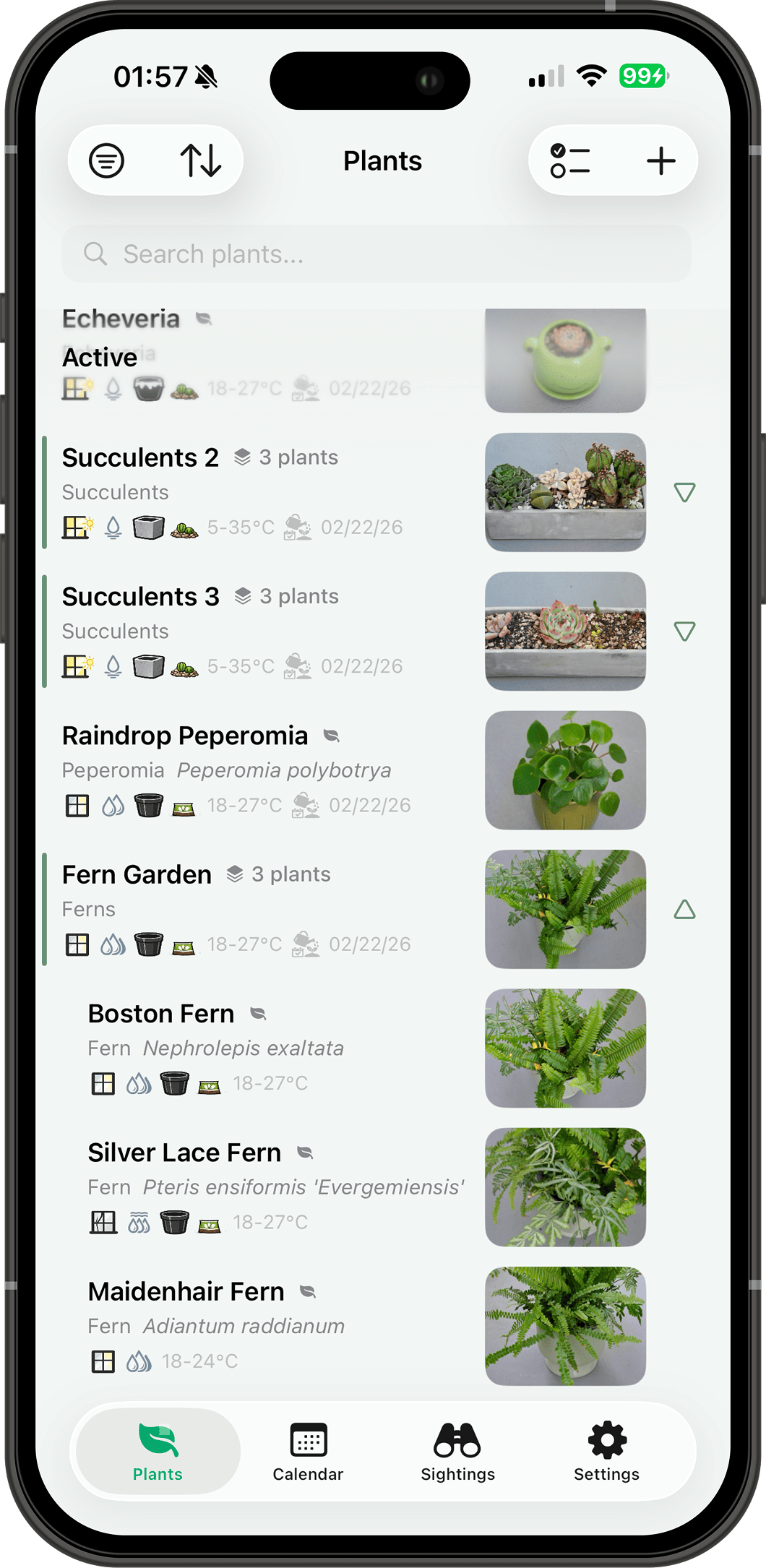
Plants & Collections
- Three ways to identify: AI-powered recognition with care auto-fill (choose from Gemini model presets or enter a custom model ID), 952+ offline plant suggestions, or on-device ML covering 7,800+ species.
- Track name, light, humidity, drainage, soil, pot material, placement, native origin, growth rate, propagation methods, and seasonal watering—all in one profile. AI notes render with markdown formatting.
- Organize into collections—living room, balcony, same pot—and manage or water them together.
- Browse as a list or a photo grid—switch from the sort menu, with an extra line of detail in grid cells.
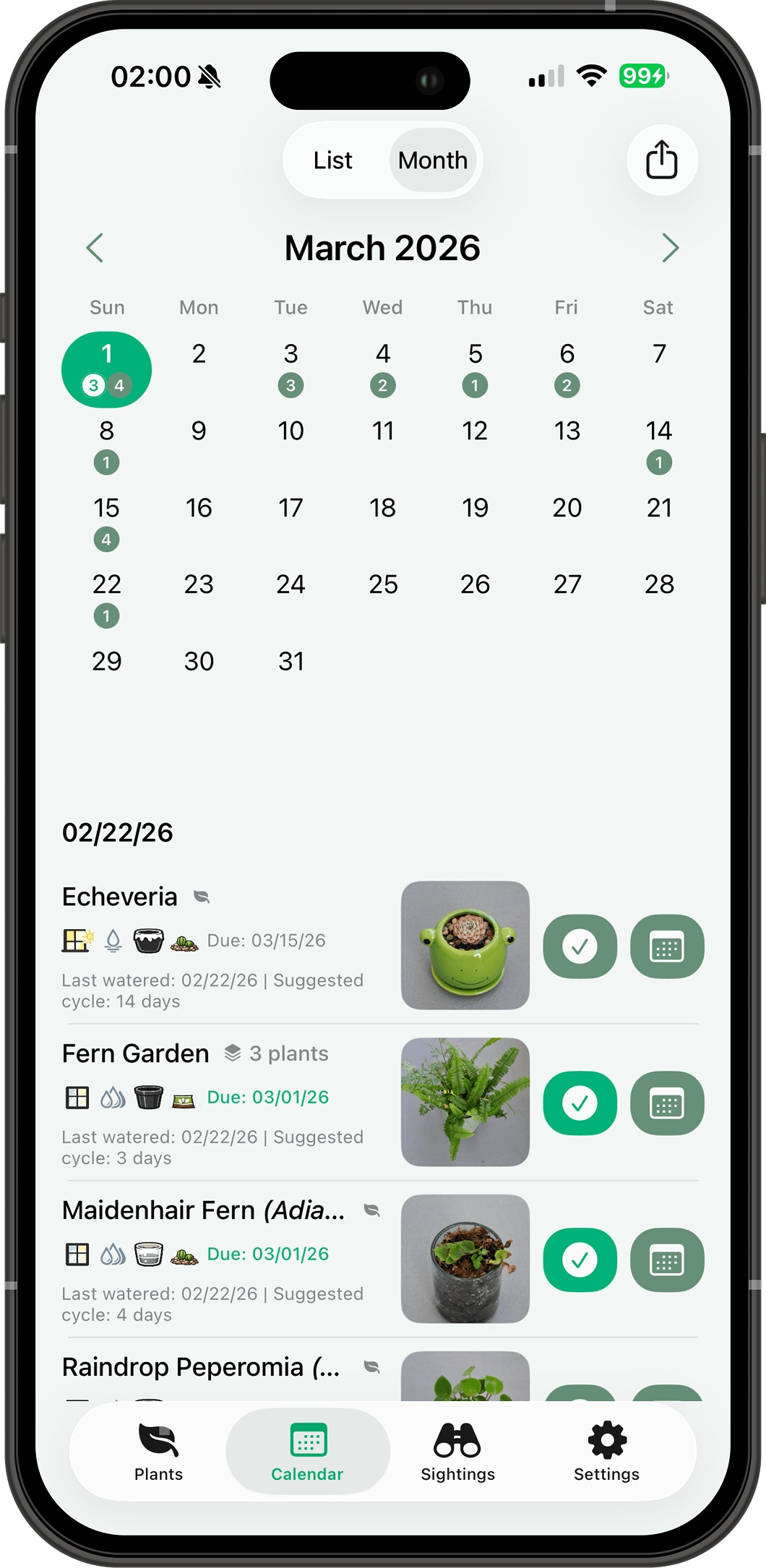
Watering & Calendar
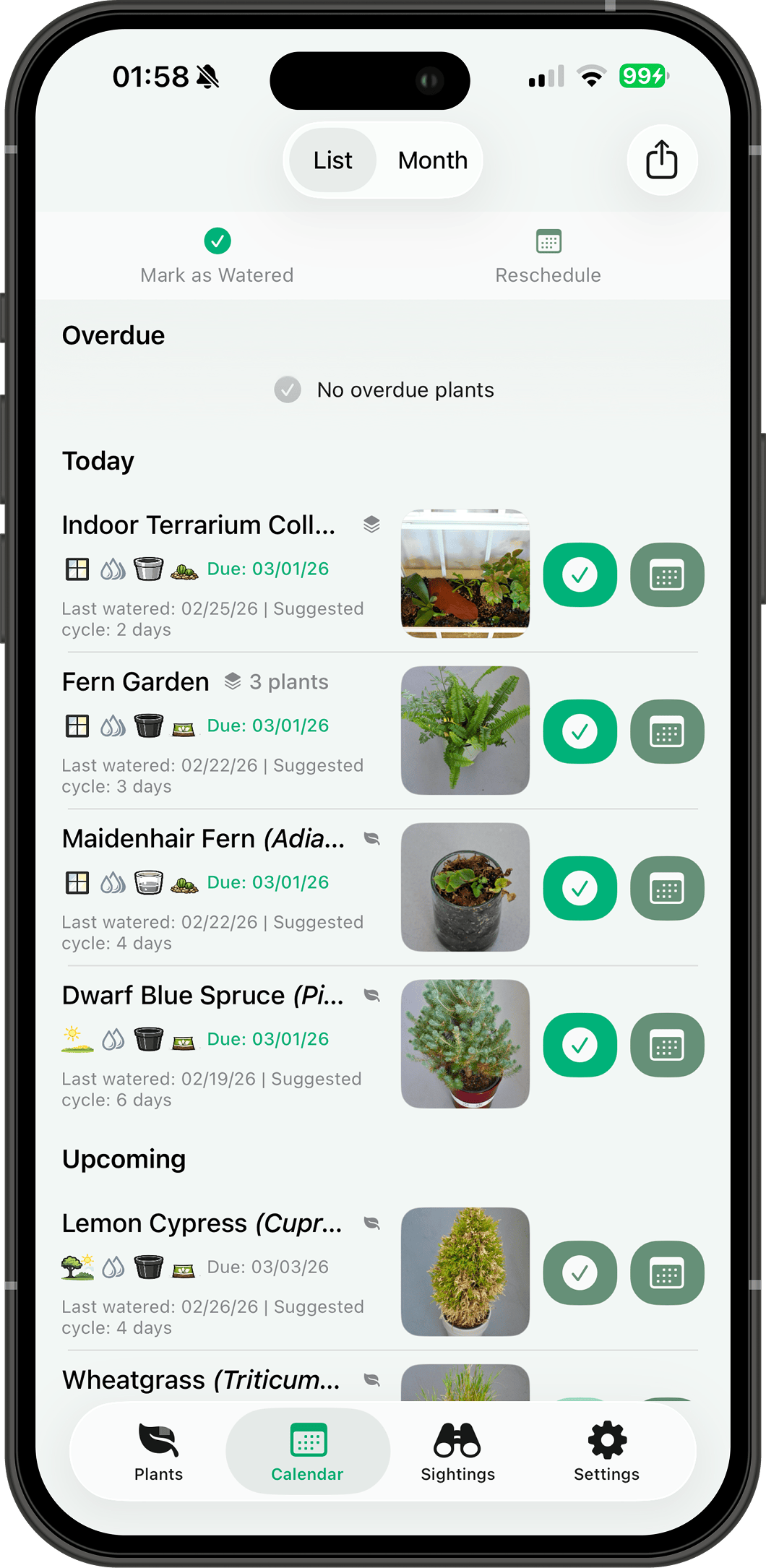
- Set per-season watering intervals that adjust automatically as seasons change—spring, summer, fall, winter.
- Log watering with intensity (misting, light, normal, soaked, bottom watering) and notes. Logs preserve exact time of day.
- List view shows overdue, today, and upcoming; month view gives a visual overview with daily counts—swipe between months.
- Optional weather overlay shows daily conditions and high/low temperatures right in the calendar—forecast plus history, cached on device and synced across your devices.
- Reschedule, mark in bulk, or water a whole collection in one tap.
Care Journal & Photos
- Unified care history: watering, growth, fertilization, pruning, and status checks in one view. Filter by type with quick-tap chips.
- AI-powered plant status checks—snap a photo for a health assessment with follow-up questions, conversation history, and a detailed report saved to the journal.
- Unlimited photos per plant across 7 categories. Dates extracted from EXIF automatically.
- View every photo in a full-screen grid, then swipe, pinch to zoom, and drag to dismiss in the photo browser.
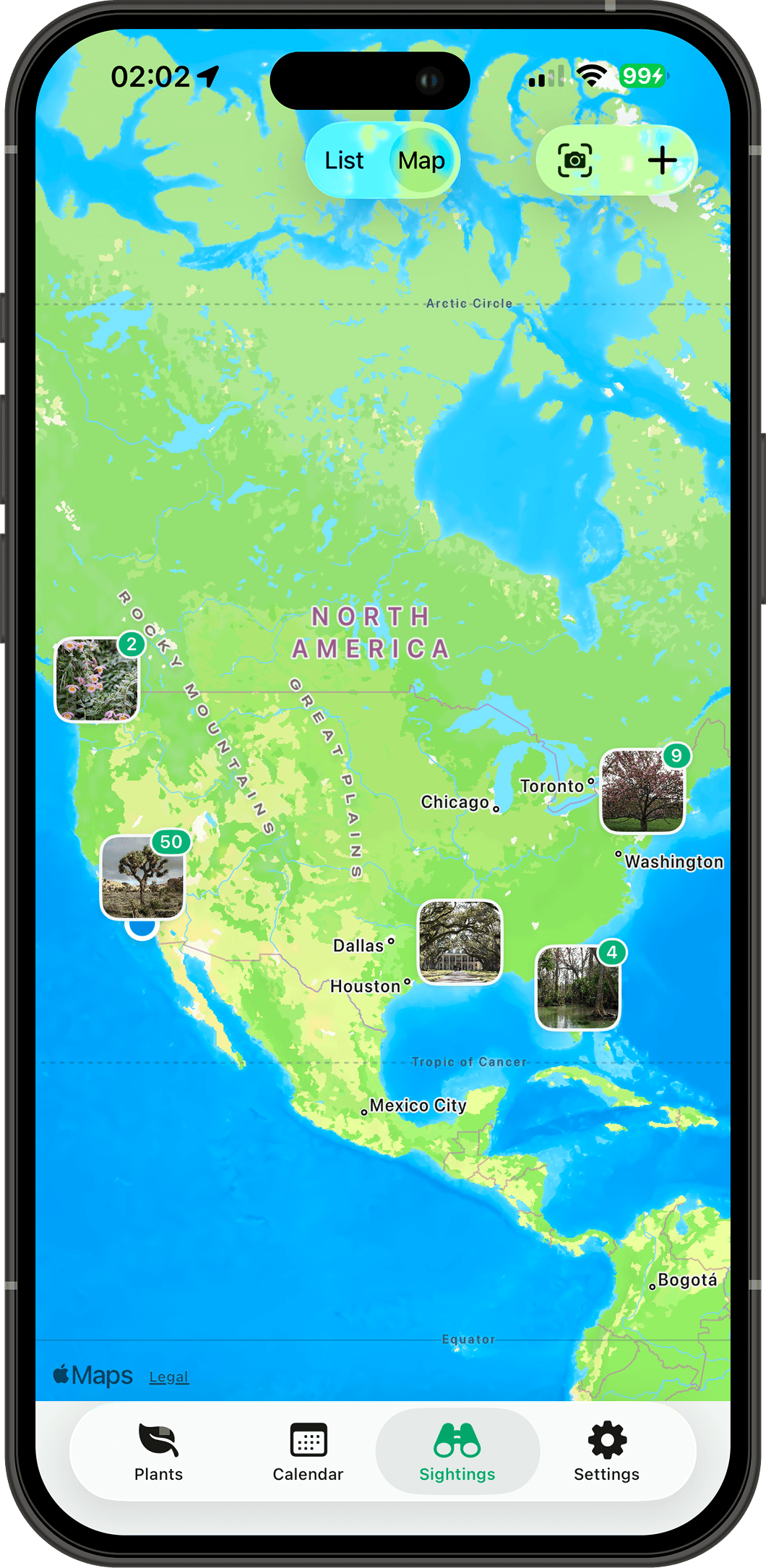
Sightings & Map
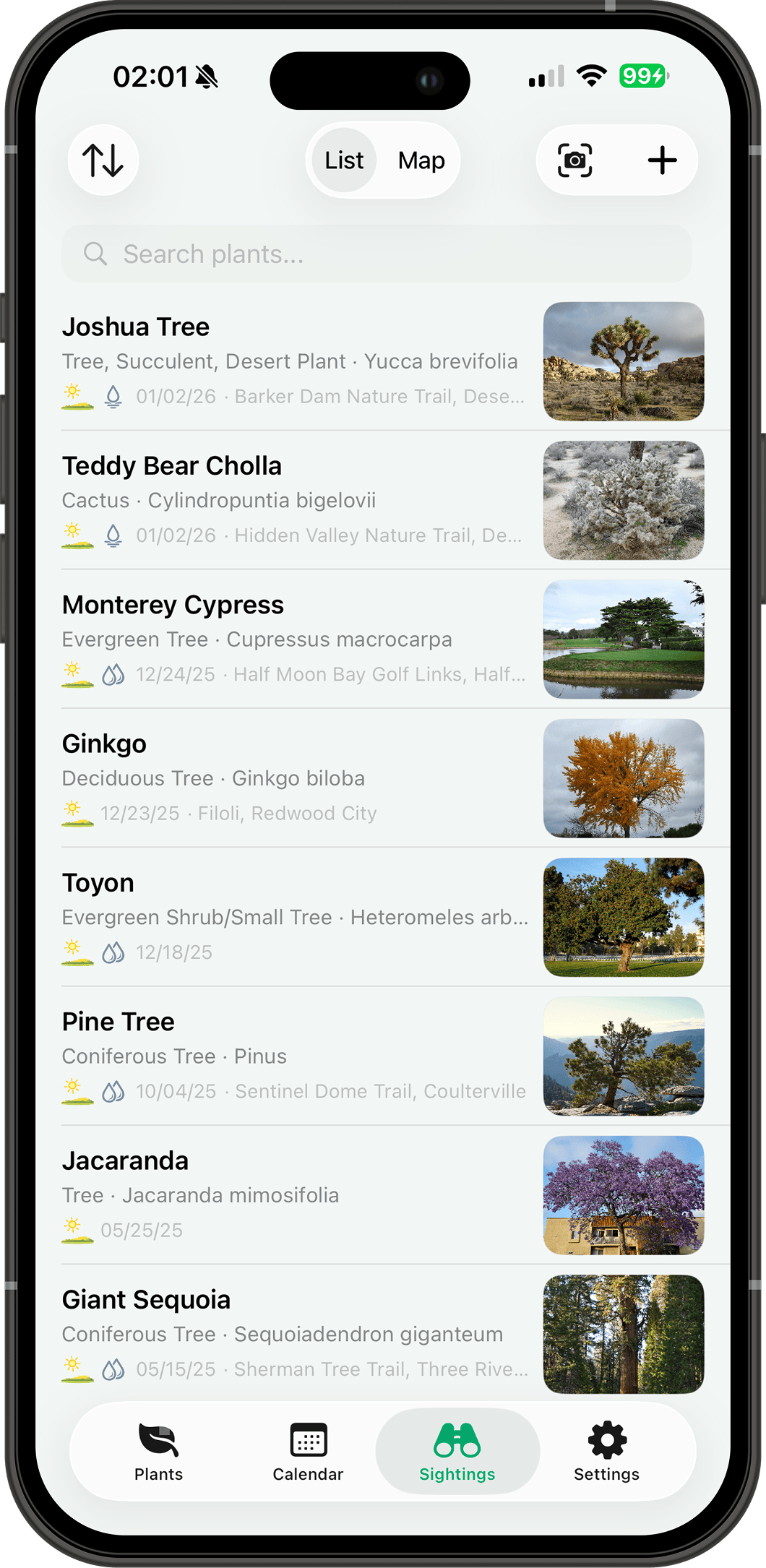
- Log wild plants with Quick Scan—AI identifies species on the spot. Batch add up to 10 sightings at once with auto GPS from photos or device.
- Interactive map with photo annotations, cluster badges, and tap-to-preview.
- Browse sightings as a list or photo grid, and swipe between the list and map.
Reminders
- Daily watering reminders at your preferred time, only for plants you're actively caring for. Background refresh keeps notification content and badge count up to date.
- Gentle check-in reminders after 30, 60, and 90 days away; opening the app resets them.
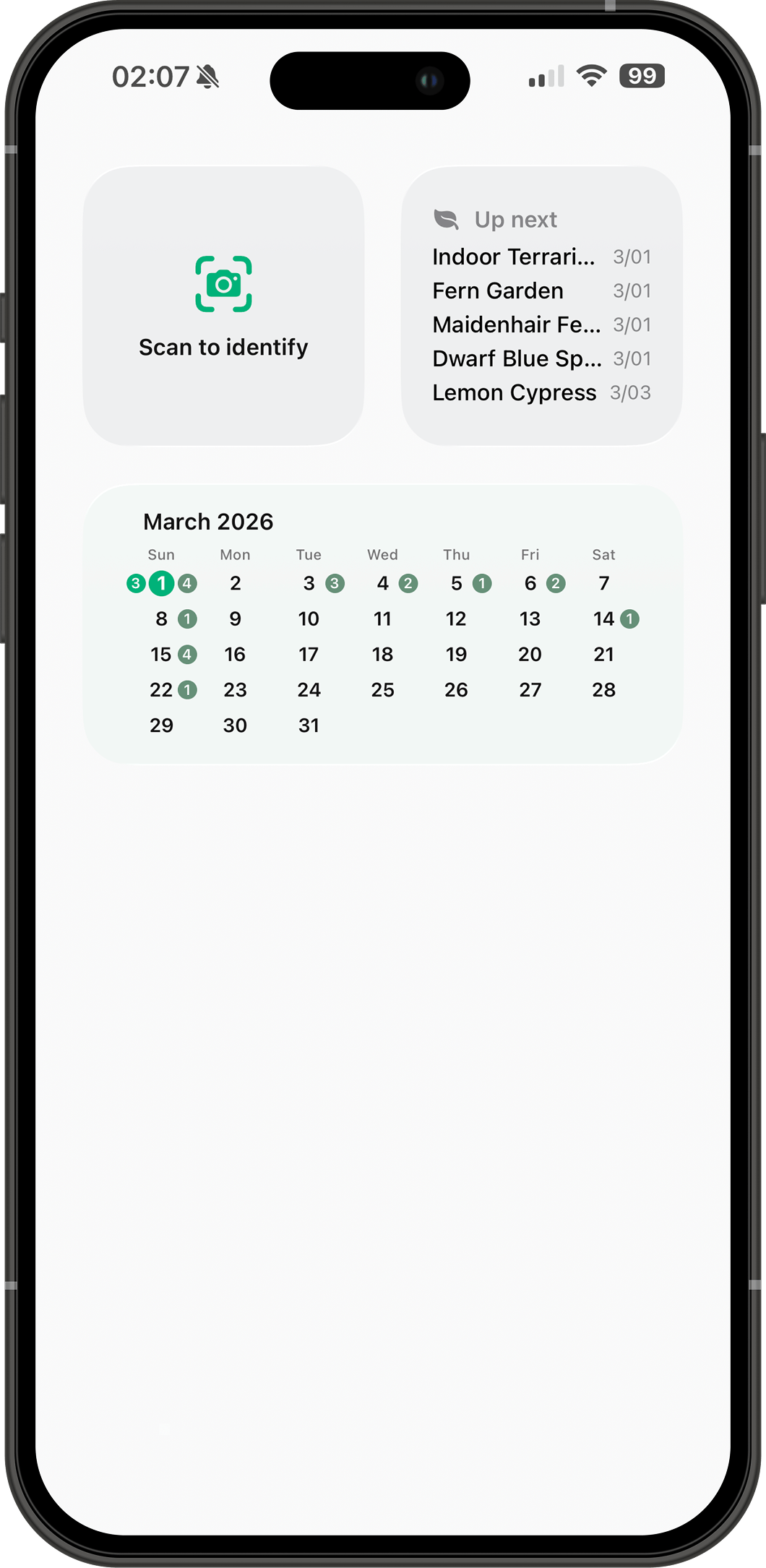
Home Screen Widgets
- Up Next—see which plants need watering at a glance.
- Calendar—month view with daily watering counts.
- Scan & Identify—open the camera for instant plant ID.
Sharing
- Generate beautiful plant cards—single or curated lists—as shareable images for social media or messaging.
- Share photos from other apps directly into Plantfolio with the Share Extension—add plants or sightings without switching apps.
- Export your watering schedule as an ICS calendar file compatible with any calendar app.
Language & Settings
- English, Spanish, Simplified Chinese, and Traditional Chinese. Display plant names in a second language. Customize date format, temperature units, pot and soil materials, and more.
Your Data & Privacy
- Everything stays on your device or iCloud—we never see it. Full ZIP backup with export and import; merge or replace on restore.
- Find plants instantly with Spotlight Search—swipe down on your home screen and type a name. All indexing stays on-device.
Why Choose Plantfolio Plus
Works without internet
On-device ML identifies 7,800+ species offline. 952+ plant suggestions available without a connection. No account required.
One app, every device
iPhone, iPad, and Mac, with full keyboard and mouse support on iPad and Mac: ⌘1–⌘4 to switch tabs, ⌘N for a new plant, ⌘F for search, plus dedicated New Window and Close Window commands on Mac. iCloud keeps everything in sync from the start.
Private by design
No servers, no accounts—we never see your data. Everything stays on your device or iCloud, and you can export a full ZIP backup anytime.
Guides
Get the App

Plantfolio Plus
Plant Care, Growth & Discovery
Version 2.2.0
iPhone, iPad · iOS 18.0+ · Mac · macOS 15.0+
Support
Questions or feedback? Get in touch:
iPhone and iPad: iOS 18.0 or later. Mac: macOS 15.0 or later.